
You opened a store of your own next to your Etsy shop. It looks good, the products are in, checkout works. And the visitor count says zero.
That's normal. A new store starts with no traffic, and no search engine is going to send you crowds in week one. The people who visit first are almost always people who already know you. Your job for the first few months is to give them easy reasons to come, then slowly widen the circle.
Here's what works for makers, roughly in order of effort. At the end there's a short list of things Etsy doesn't allow, because the last thing you want is a new store that costs you your Etsy shop.
1. Tell the people who already know you
Start with friends, family, local customers, people who've bought commissions from you, and anyone who follows you on social media. Send one friendly note and make one post. Don't overthink it.
Something like:
I've opened a little online shop of my own at [your address], alongside my Etsy shop. New pieces show up there first. If you'd like to hear when something new is ready, there's a sign-up box at the bottom of the page.
Ask them to pass it on. Word of mouth is slow, but it's the most trusted kind of traffic you'll ever get.
2. Start an email list on your own site
An email list is the one audience you fully own. No algorithm decides who sees your message, and no platform can switch it off.
Put a sign-up box on your store and give people a reason to join: new work first, early access to a holiday batch, a peek at what's on the bench. Say how often you'll write ("about once a month") and keep that promise. Most store platforms connect to an email tool such as Mailchimp. IndieMade has a Mailchimp add-on built in.
One rule matters here. You can't add your Etsy buyers to your list. Etsy's Seller Policy says buyer details are only for Etsy-related communication. Without the buyer's consent, you may not add any Etsy member to your mailing list. Your list has to grow from people who sign up on your store, at a market table, or anywhere else they opt in themselves. (In the US, the CAN-SPAM rules also apply: include an unsubscribe link and your postal address. This isn't legal advice, just the basics.)
3. Pick one or two social channels, not five
You don't need to be everywhere. Pick the place where your buyers already hang out and show your work, your process and yourself.
- Put your store in your profile link. Then say "link in my profile" when you post something new.
- Treat Pinterest like a search engine. People search Pinterest for gift ideas and home projects. Give each pin a plain, descriptive title, name your boards after what people actually search for ("Handmade ceramic mugs", not "My stuff"), and use tall images. It's slow to build, but pins keep working for months.
- Local Facebook groups can be great for makers. Read each group's rules first, because many only allow promotion on certain days.
4. Add one link on Etsy, the right way
Etsy lets you add a website link in your shop's About section. Etsy's help page describes it as a place to share where buyers can get your latest news, such as a website, blog or social profile.
Keep that link and its wording neutral: "See what's new in my studio." Don't write "Buy here for less." Etsy draws a firm line between sharing where you are and steering a buyer to buy somewhere else (more on that below).
5. Use packaging inserts
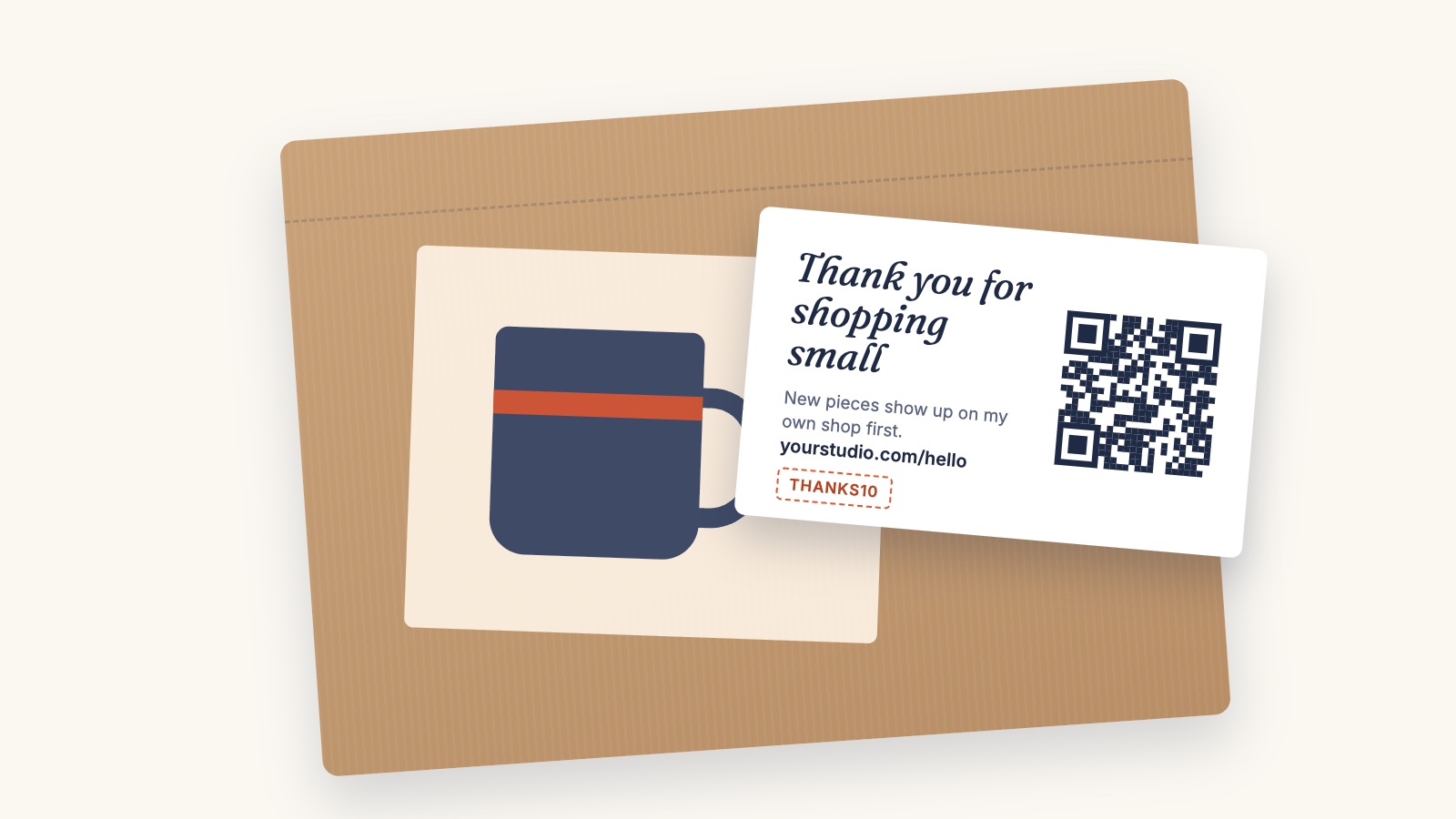
I like a good insert card. A small, nicely printed card with a thank-you, your store's web address, a QR code and a next-order code is one of the cheapest ways to turn one sale into two.
Where it works without any worry:
- Orders from your own store. These are your customers. Thank them and give them a reason to come back.
- Craft fair and market bags.
- Wholesale and consignment boxes, if the shop that stocks you is happy with it.
- Commissions and direct orders.
A few tips that make inserts work better:
- Business-card size is cheap to print and easy to keep.
- Use a different code for each place you hand cards out, like FAIR10 for markets and THANKS10 for store orders, so you can see which one actually brings people back.
- Point the QR code at a page on your own website, such as yourstore.com/hello, not at a QR company's link. Free "dynamic" QR codes from some services stop working when a trial ends, and you can't reprint a thousand cards. A plain QR code that points at your own address never expires, and you can change what that page says whenever you like.
- Test the printed card with two different phones, in bad light, before you order a big batch.
What about Etsy orders? This is where you need to read the rules carefully. Etsy's current policy says no to QR codes that send buyers off Etsy, and no to discounts that encourage buyers to purchase elsewhere. I've written a separate post on exactly what changed and what I think of it: Etsy now says no to QR codes that point off Etsy. Read it before you put anything in an Etsy parcel. The short version: a thank-you note, care instructions and your Etsy shop address are fine. A QR code or discount for your own store is a risk to your Etsy account, and you should decide with your eyes open.
6. Meet people in person
Markets and craft fairs are still one of the best ways for makers to find new customers, and nothing about them involves Etsy's rules.
- Put your store's address on your table sign.
- Have a sign-up sheet or a QR code that goes straight to your email sign-up.
- Put a card with a fair-only code in every bag, so you can count how many people come back online.
- Ask shops and cafés that carry your work whether they'll keep a few cards by the till.
7. Let Google find you (it's free, but slow)
- Google Search Console. Add your store and submit its sitemap. That tells Google your store exists. It doesn't guarantee anything, but it's the first step.
- Google's free product listings. Through Google Merchant Center your products can appear in Google Shopping and image results at no cost, as long as you can supply product details, shipping and a return policy. Check whether your store platform can provide a product feed before you start.
- Google Business Profile is only for businesses that have a place customers visit or that serve customers in a local area (Google's rules). If you sell online from home, it probably isn't for you.
- Write for people. Give each product a plain title and a real description, add good photos, and have an About page and a care or FAQ page. That's most of what a small store needs to do for search.
What not to do on Etsy
Etsy takes off-platform selling seriously. Its Seller Policy says it may remove your content or suspend or close your account for breaking these rules, and that can include related accounts. So:
- Don't use Etsy Messages to tell buyers about your store. Etsy doesn't allow Messages to be used for unsolicited promotion or for directing sales off Etsy, even to a happy repeat customer who'd love to know.
- Don't put your store link or "buy direct" wording in listings or listing photos.
- Don't put a QR code or discount for your own store in Etsy orders without reading the rule first.
- Don't copy Etsy buyers into your email list.
None of this stops you from building your own store. It just means your store has to grow from your own channels, not from Etsy's.
What to expect
Be patient. The first weeks are mostly people who already know you. Your email list and social following grow a little at a time. Search engines take months: Shopify's SEO team puts it at three to six months for most sites to see measurable results.
So measure the things you can move: visits and where they came from, email sign-ups, and how many of your insert codes get used. Those numbers grow before sales do.
Want your own store set up properly next to your Etsy shop? Start with a free shop check. I'll tell you honestly whether it's a good fit.